For independent professionals
Review your work before handing it over. Keep a clear list of outstanding corrections, even when you change AI tools.
Example: checking a landing page before sending it to a client.
For work created with AI
Set expectations, gather evidence and prepare corrections in one clear record.
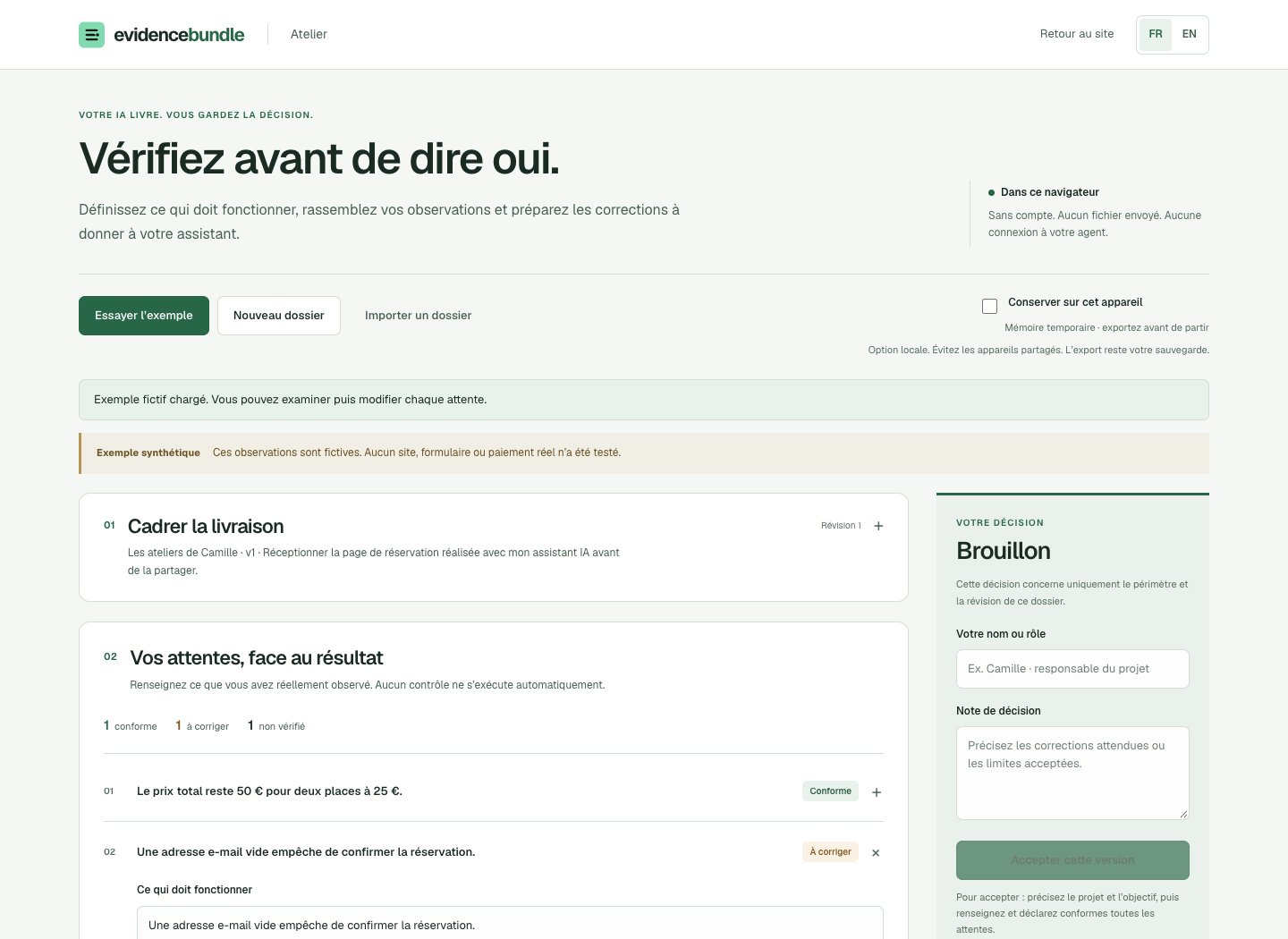
Bring a page, a report or a creative deliverable. Record what you expected and what you actually checked.
Name the project and version. Write the criteria that make this delivery useful.
Add observations, links and screenshots beside each criterion.
Mark what is ready, what needs fixing and what you have not checked.
Copy a correction brief for your AI. Export the review for your records.
The workspace organizes your review. Checking a box records your assessment; it does not run a test.
See how the method worksReview your work before handing it over. Keep a clear list of outstanding corrections, even when you change AI tools.
Example: checking a landing page before sending it to a client.
Make expectations and review decisions understandable to the next person. Send an exported report through your usual tools.
Example: reviewing a campaign kit against an agreed brief.
Use the AI tool you already prefer. EvidenceBundle does not connect to or control Codex, Hermes, Grok or other agents.
Free
No account. No card. Manual review.
Help shape a repeatable review process for your deliveries. Tell us what you receive, who reviews it and what gets lost today.
Tell us about your workflowAn expression of interest, with no payment or commitment. Shared accounts and cloud collaboration are not available.
No. You inspect the deliverable, add evidence and choose a status. The workspace organizes your input and prepares an export. It does not scan a website or call an AI model.
No. You can copy the brief into your usual assistant and bring back observations, screenshots or links. No agent credentials are needed.
By default, it stays in the open page’s memory. Optional local saving keeps it in this browser. Export your review to keep a separate copy; there is no cloud backup.
You can send them the exported report yourself. The workspace has no shared accounts, live collaboration or authenticated approval workflow. The recorded decision is a human declaration.